Security & Compliance
At iCalls, security and privacy are built into every layer of the platform. From browser-based video calls to user authentication and data handling, iCalls is designed to meet modern security, compliance, and enterprise trust requirements. This page explains how iCalls protects users, data, and communication.
Security Principles
- Secure by default
- Least-privilege access
- No unnecessary data storage
- Transparent system behavior
- Compliance-ready architecture
Secure Video Communication
WebRTC-Based Architecture

- No plugins or downloads
- Runs directly in modern browsers
- Secure, peer-to-peer communication
End-to-End Encryption
- Video and audio streams are encrypted in transit
- Secure peer-to-peer encryption is used by default
- TURN servers are used only when required by network conditions
User Authentication & Access Control
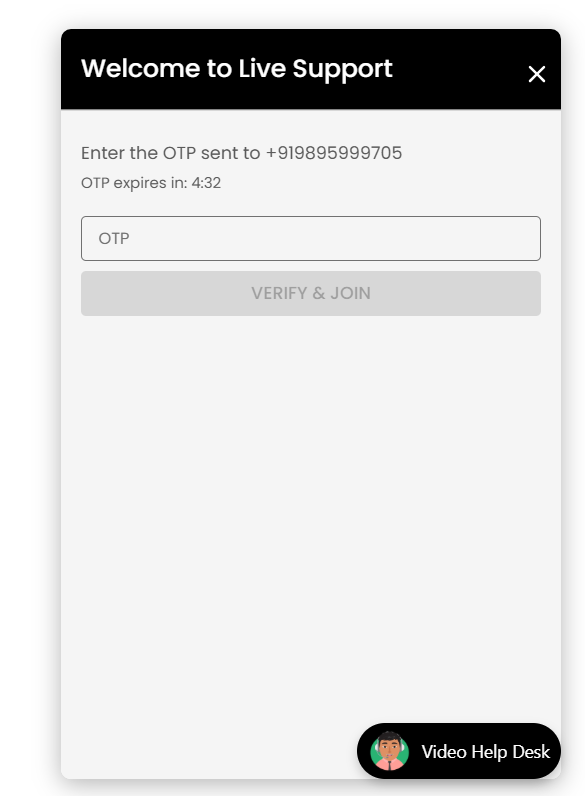
OTP Verification (Customer Side)
- Customers verify identity using One-Time Password (OTP)
- OTPs are time-limited
- OTP verification occurs before call initiation
This protects against:
- Spam calls
- Automated abuse
- Fake identities
Role-Based Access Control (RBAC)
| Role | Access Scope |
|---|---|
| Super Admin | Platform-level control |
| Organization Admin | Organization management |
| Agent | Call handling only |
| Customer | Single call session |
Users can access only what their role allows.
Data Privacy & Protection
Minimal Data Collection
iCalls collects only the data required for:
- Call routing
- User identification
- Support operations
Examples:
- Name
- Phone number
- Call metadata (duration, status)
No Call Recording by Default
- Video calls are not recorded by default
- Recording requires explicit configuration and consent (if enabled)
- Live video streams are transient and session-based
GDPR Readiness
GDPR-Aligned Practices
- Purpose-limited data collection
- Secure data handling
- Access control enforcement
- Data minimization
- User data isolation per organization
Secure Widget Integration
Domain Validation
- Widgets are bound to approved organization domains
- Prevents unauthorized embedding
- Protects against misuse on unknown websites
Safe Script Loading
- Widget script loads asynchronously
- Does not block website performance
- Uses secure HTTPS endpoints only
Network & Infrastructure Security
- HTTPS enforced for all communication
- Secure API endpoints
- Protection against common web threats
- Network isolation between organizations
Password & Credential Security
- Passwords are encrypted and never stored in plain text
- Password changes require current password verification
- Secure session handling
- Automatic session invalidation (if configured)
AI Agent Security
- API keys are stored securely
- AI access is scoped per organization
- AI agents operate only within defined topics
- No unrestricted data access
Compliance Responsibility Model
| Area | Responsibility |
|---|---|
| Platform security | iCalls |
| Organization configuration | Client |
| User access control | Client |
| Consent management | Client |
| Data retention policy | Client |
Best Practices for Organizations
- ✔ Use OTP verification for public websites
- ✔ Assign roles carefully
- ✔ Monitor agent access regularly
- ✔ Use strong passwords
- ✔ Configure business hours correctly
- ✔ Review call logs periodically
Frequently Asked Security Questions
Is video data stored?
No. Video streams are live and not stored unless recording is explicitly enabled.
Are calls encrypted?
Yes. All calls are encrypted using WebRTC standards.
Does iCalls require downloads?
No. Everything runs in the browser.
Is customer data shared?
No. Data is isolated per organization.